S3 + CloudFront for E-Commerce: A Non-Technical Introduction

Table of Contents
If you want a fast, cheap, reliable way to serve your website's files, images, pages, assets, to customers anywhere in the world, the combination of two AWS services does almost all of the work: S3 stores the files, and CloudFront delivers them fast to every corner of the planet. It is the backbone of this very blog, and it is the pairing I would point any e-commerce manager to first, because it solves the single most under-appreciated problem in online retail: making your site feel instant to a shopper who is nowhere near your server.
Neither service does the whole job alone, and understanding why is the entire point of this piece. S3 on its own is storage, and storage in one location is slow for anyone far away and limited in some important ways. CloudFront on its own has nothing to deliver. Together they are, as the practitioner consensus puts it, the gold standard for serving static content. So here is what each one is, why the pairing beats either alone, and the one operational gotcha that trips up everyone who sets it up, explained for someone who runs the business rather than the servers.
S3 alone: great storage, with real limits
S3, which I introduced in the guide to AWS, is Amazon's file storage: an effectively unlimited, very cheap, very reliable place to put files in the cloud. It can even host a simple website directly, just the files, served to visitors. For a small, local audience, that can be enough on its own.
But serving a site straight from S3 has real limits that matter the moment you have customers spread across regions, and they are worth knowing because they are exactly the limits CloudFront removes. Your files live in one AWS region, so a visitor on the other side of the world is downloading every page and image across that entire physical distance, every time, which is slow. Plain S3 website hosting also does not give you HTTPS (the secure padlock customers expect and search engines reward) on your own domain, and it lacks compression and other speed features. None of this means S3 is the wrong choice. It means S3 is the storage half of the job, and it was never meant to be the delivery half. That is CloudFront's role.
CloudFront: the delivery network that makes it fast everywhere
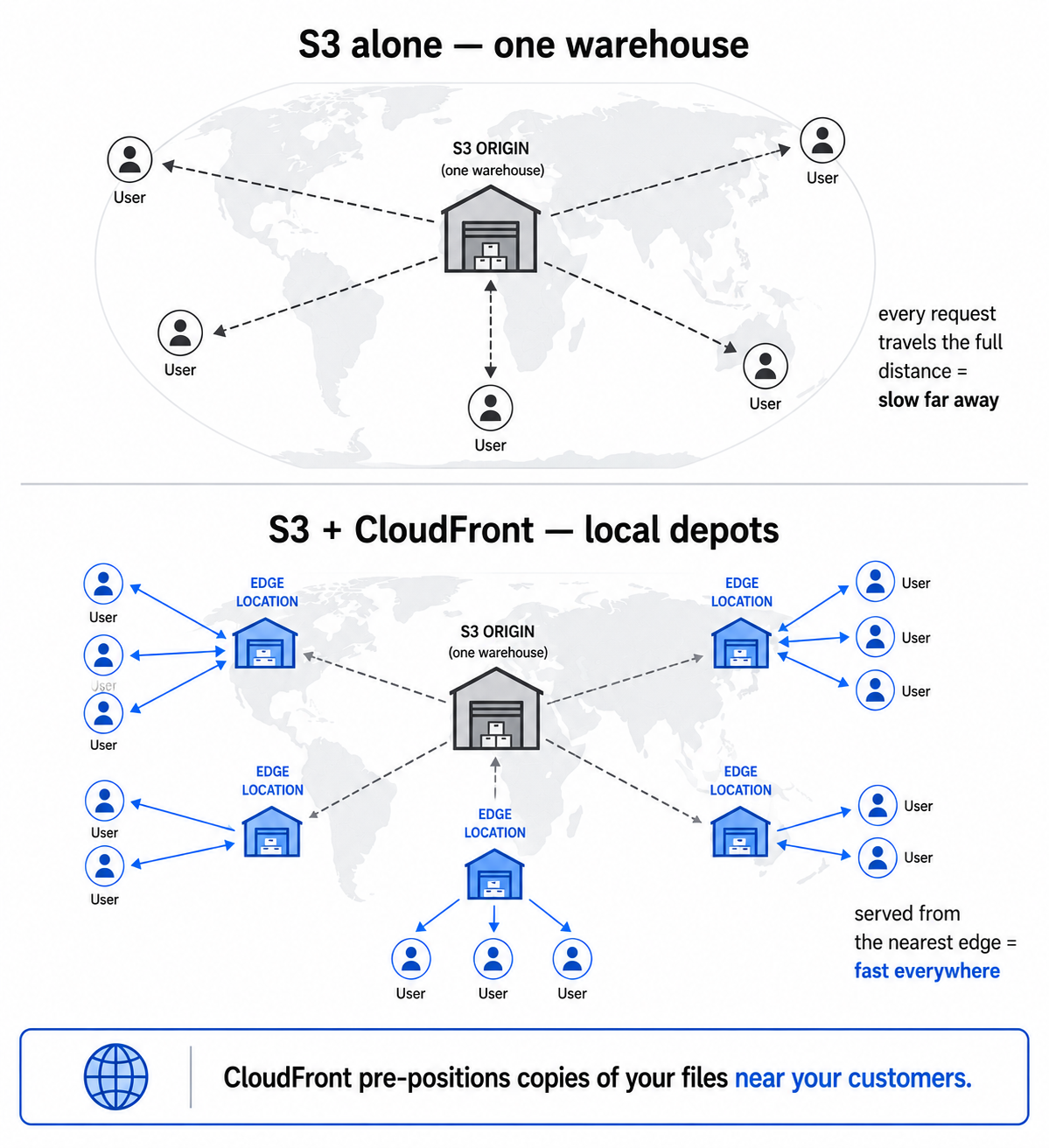
CloudFront is a CDN, a content delivery network, and the concept is simpler than the acronym. It is a global network of data centres, called edge locations, scattered across the world. CloudFront keeps cached copies of your files at these edge locations, so when a customer requests a page, it is served from the edge location physically nearest to them, instead of travelling all the way to your single S3 region and back.
The everyday analogy is a popular product. If you only stock it in one central warehouse, every customer's order ships the whole distance from there. If you pre-position copies in local depots near your customers, delivery is far faster because the product is already close by. CloudFront does exactly that for your website's files: it pre-positions copies near your customers, so the content has a short trip instead of a long one. The result is the thing that actually matters to the business: faster load times for everyone, everywhere. And speed is not a vanity metric. A faster site converts better and ranks better, so this directly touches revenue, which is why I treat it as a conversion lever rather than a technical detail.
Why the pairing beats either alone
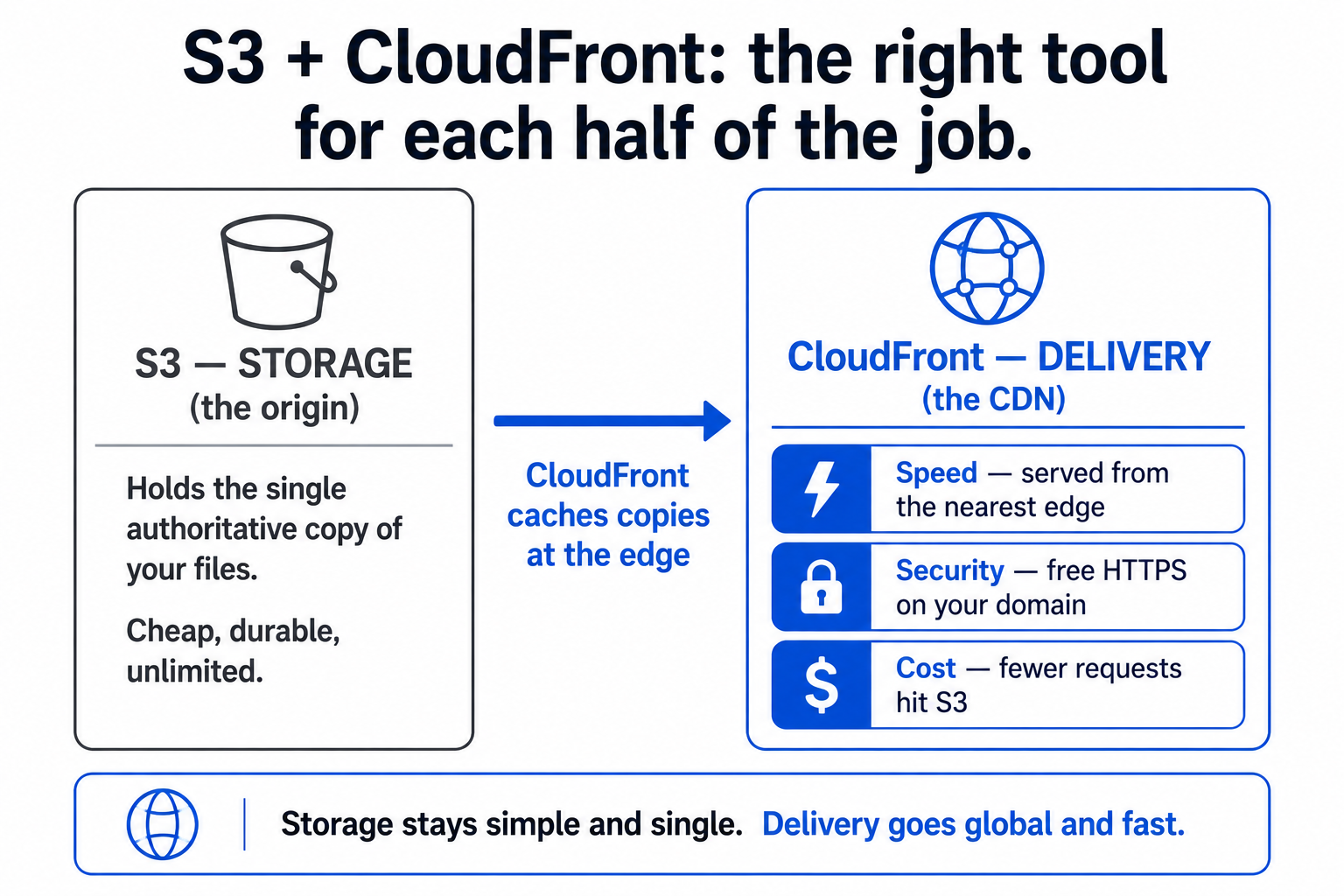
Put them together and S3 does what it is best at (storing your files cheaply and durably in one authoritative place) while CloudFront does what it is best at (delivering copies of those files fast from everywhere). The origin of truth stays simple and single; the delivery is global and quick. That clean division is why the combination is so widely used. But there are three concrete wins worth naming, because they are the reasons to bother rather than just serving from S3.
First, speed, the headline benefit: customers everywhere get fast loads because content comes from a nearby edge rather than a distant origin, and the gap is largest precisely for the international customers a single-region setup serves worst. Second, security and trust: CloudFront gives you HTTPS on your own domain (with a free certificate from AWS), so customers see the secure padlock and you meet the baseline every modern site needs. Third, and the one people miss, cost: because most requests are served from CloudFront's cache instead of hitting S3 directly, you pay for far fewer S3 requests and less data transfer out of your origin. The faster setup is often also the cheaper one at scale, which is a rare and welcome combination. Speed, security, and lower cost, from putting the right delivery layer in front of the right storage layer.
This is the stack behind this blog, and it is worth saying how little it takes to run. The site is a set of static files in S3, delivered by CloudFront, with no web server running around the clock. That is why it is fast, secure, and costs very little, and it is a pattern that suits any content-led store, a blog, a catalogue, a campaign site. I write up the complete setup, including the publishing tool I use, in the static-site stack behind this blog.
The one gotcha everyone hits: cache invalidation
Here is the catch that trips up everyone the first time, and the reason I mention it in the AWS guide too. The same caching that makes CloudFront fast also means it can serve an old copy of a file after you have updated it. You change a product image or fix a typo on a page, you upload the new version to S3, and you refresh the site, and you still see the old one. Nothing is broken. CloudFront is doing its job, serving the cached copy from the edge, and it has not yet been told the file changed.
There are two clean ways to handle this, and knowing they exist is enough even if someone else implements them. The first is invalidation: you explicitly tell CloudFront "this file changed, drop the cached copy," and it fetches the fresh one. The second, and usually better, is versioned filenames: instead of overwriting logo.png, you publish logo-v2.png and point to the new name, so the CDN treats it as a genuinely new file and serves it immediately, with no stale-cache problem at all. The practical lesson for a manager is just this: if you have ever updated something on a CloudFront-backed site and not seen the change, you are not going mad and nothing is broken, it is the cache, and it is a solved problem. Knowing that one fact saves a surprising amount of confusion and panicked support tickets.
So that is S3 plus CloudFront for the non-engineer. S3 is your file warehouse: cheap, durable, single-location storage. CloudFront is your global delivery network: it pre-positions copies near your customers so the site is fast everywhere, adds free HTTPS, and often lowers your costs by sparing the origin. Neither does the whole job alone, together they are the standard way to serve a fast, secure, affordable site, and the only real surprise, the cache serving an old file, is a known quirk with a simple fix. It is the simplest serious piece of cloud infrastructure most stores will ever need, and now you understand it well enough to use it on purpose.
A few common questions
What do S3 and CloudFront do together? S3 stores your website's files (pages, images, assets) cheaply and reliably in one location. CloudFront is a content delivery network that caches copies of those files at data centres worldwide and serves each visitor from the nearest one. S3 is the storage; CloudFront is the fast global delivery. Together they serve a fast, secure, low-cost site.
Why not just serve my website straight from S3? You can for a small local audience, but S3 alone serves from a single region (slow for distant visitors), doesn't provide HTTPS on your own domain, and lacks compression and other speed features. CloudFront in front of S3 fixes all of these: nearby-edge delivery, free HTTPS, and modern performance features.
Does adding CloudFront cost more? Often it costs less at scale, not more. Because most requests are served from CloudFront's cache rather than hitting S3 directly, you pay for fewer S3 requests and less data transfer from your origin. You get faster delivery and lower origin costs together, which is why the pairing is so widely used.
Why do I still see the old version after updating my site? That's CloudFront's cache serving a stored copy from the edge, it hasn't been told the file changed yet. It's normal, not a bug. Fix it either by "invalidating" the cached file (telling CloudFront to refresh it) or, better, by using versioned filenames (e.g. logo-v2.png) so the CDN treats the update as a new file and serves it immediately.
You should also read:
Sustainable E-Commerce: What Actually Matters and What's Just Marketing
Most "sustainable e-commerce" is marketing. A recycled-paper logo, a tree-planting badge, a carbon-neutral sticker bought through offsets, while the real environmental impact, shipping, returns, packaging volume, and overproduction, goes untouched. Real sustainability isn't a green badge or an offset checkbox; it's operational decisions that reduce…
Continue reading...
Organic Social for E-Commerce: Realistic Expectations
Organic social media is mostly oversold as an e-commerce sales channel, and treating it as one is how teams end up frustrated and burned out. Platform reach is throttled, organic posts rarely drive meaningful direct sales, and the channel's real value is elsewhere: brand presence,…
Continue reading...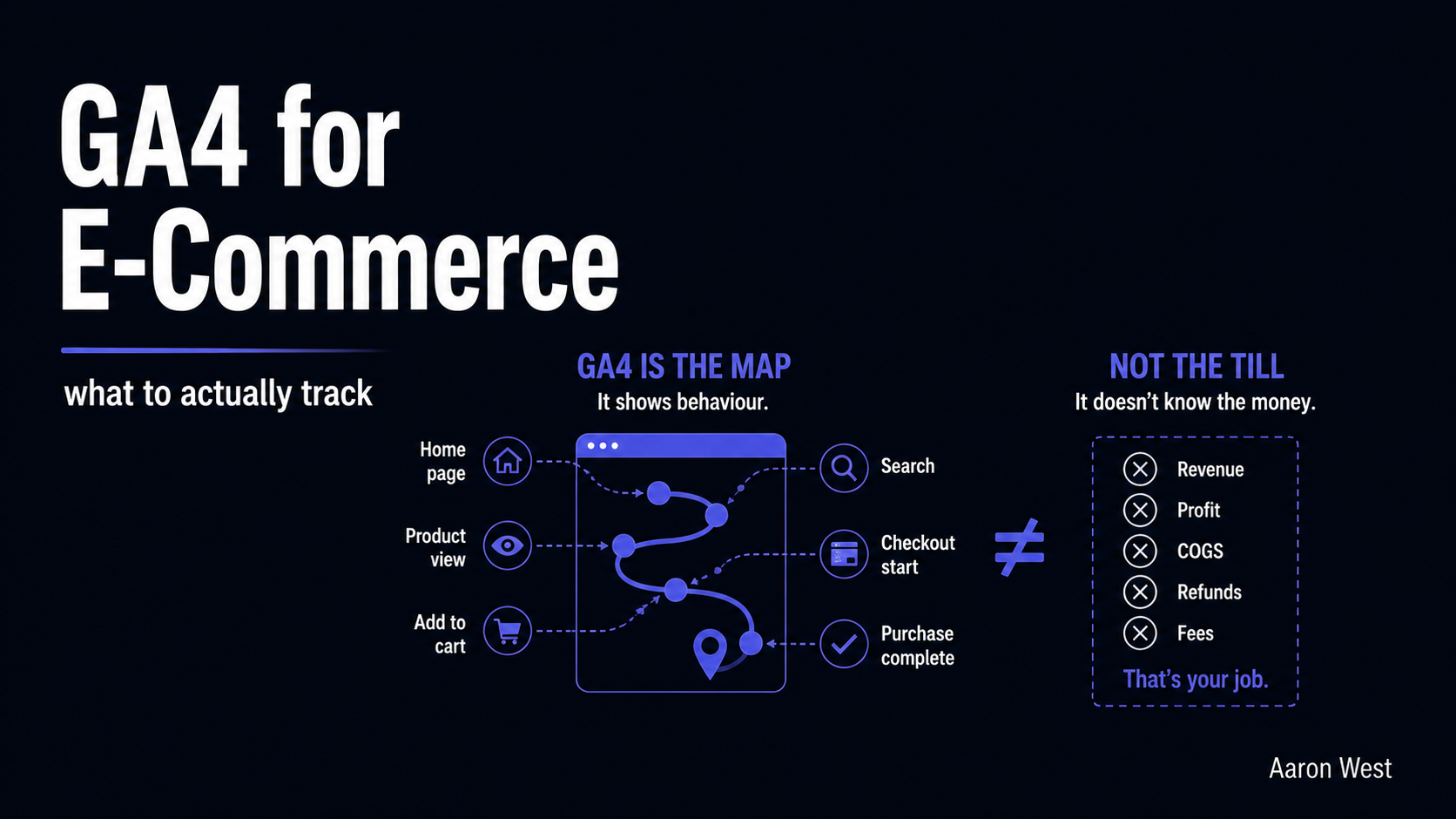
Google Analytics (GA4) for E-Commerce: What to Actually Track
The most important thing to understand about GA4 for e-commerce is also the thing almost nobody is told up front: it is not your sales report, and using it as one will mislead you every time. GA4 is a behaviour tool. It tells you how…
Continue reading...