Why Your Product Images Are Slowing Down Your Conversion Rate


Table of Contents
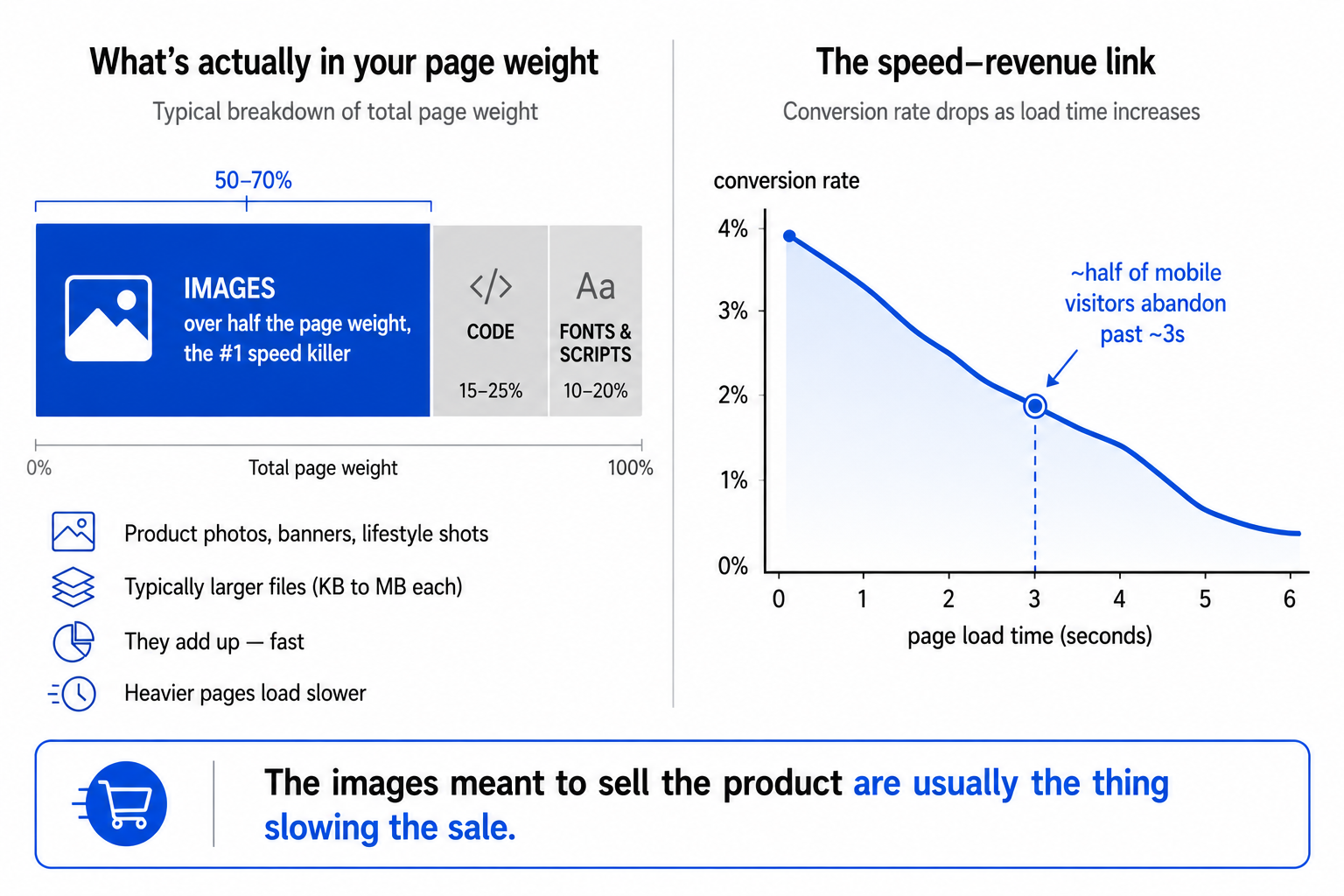
The single biggest thing slowing down your online store is almost certainly the very thing you put there to sell the product: the images. On a typical e-commerce page, images make up more than half of everything the browser has to download, and unoptimised product images are the number one reason pages load slowly. There is real research behind this. A 2026 analysis found that roughly seven in ten e-commerce product pages fail Google's page-experience benchmarks, with images the primary culprit in the large majority of cases. The photo meant to win the sale is the thing losing it.
This matters because page speed is not a technical nicety, it is a direct lever on revenue, and the link is one of the best-documented relationships in e-commerce. Slow pages lose sales, lose search rankings, and quietly erode the trust a new visitor needs before they will type in their card details. The good news is that this is one of the highest-leverage, lowest-effort fixes available to a store, because the cause is so concentrated. Fix the images and you fix most of the speed problem. Here is why images do the damage, what it costs you, and how to actually fix it, including where your AWS setup comes in.
Why speed is a revenue number, not a vanity metric
Let me make the business case concrete before the technical part, because this is the part that should get a manager's attention. The relationship between load time and conversion is consistent across years of research: every additional second of delay measurably reduces conversions, and the effect is steep. Widely cited figures put the conversion cost of a one-second delay in the high single digits of percent, and on mobile, where most e-commerce traffic now lives, more than half of visitors abandon a page that takes longer than about three seconds to load. More than half. Gone before they ever see the product.
Run that through your own numbers and it stops being abstract. If a meaningful share of your mobile visitors leave before the page even appears, that is not a performance statistic, it is lost orders, every single day, compounding. And it works in reverse too: speed improvements convert directly into recovered revenue, which is why serious retailers treat load time as a growth lever rather than an IT chore. There is a second, compounding payoff: Google uses page experience as a ranking signal, so a faster site also tends to rank better, bringing in more of the highest-margin traffic there is, the organic kind you do not pay for per click. Speed pays you twice, in conversion and in ranking. That is the case for caring about something that sounds as dry as image file sizes.
Why images specifically, and not your code
It is worth understanding why images are the usual culprit rather than the things people often blame, because it tells you where to spend your effort. The instinct is to suspect the code, the theme, the scripts. Those matter, but they are rarely the biggest single weight on the page. Images are, because they are simply large files, and stores tend to upload them far larger than they need to be.
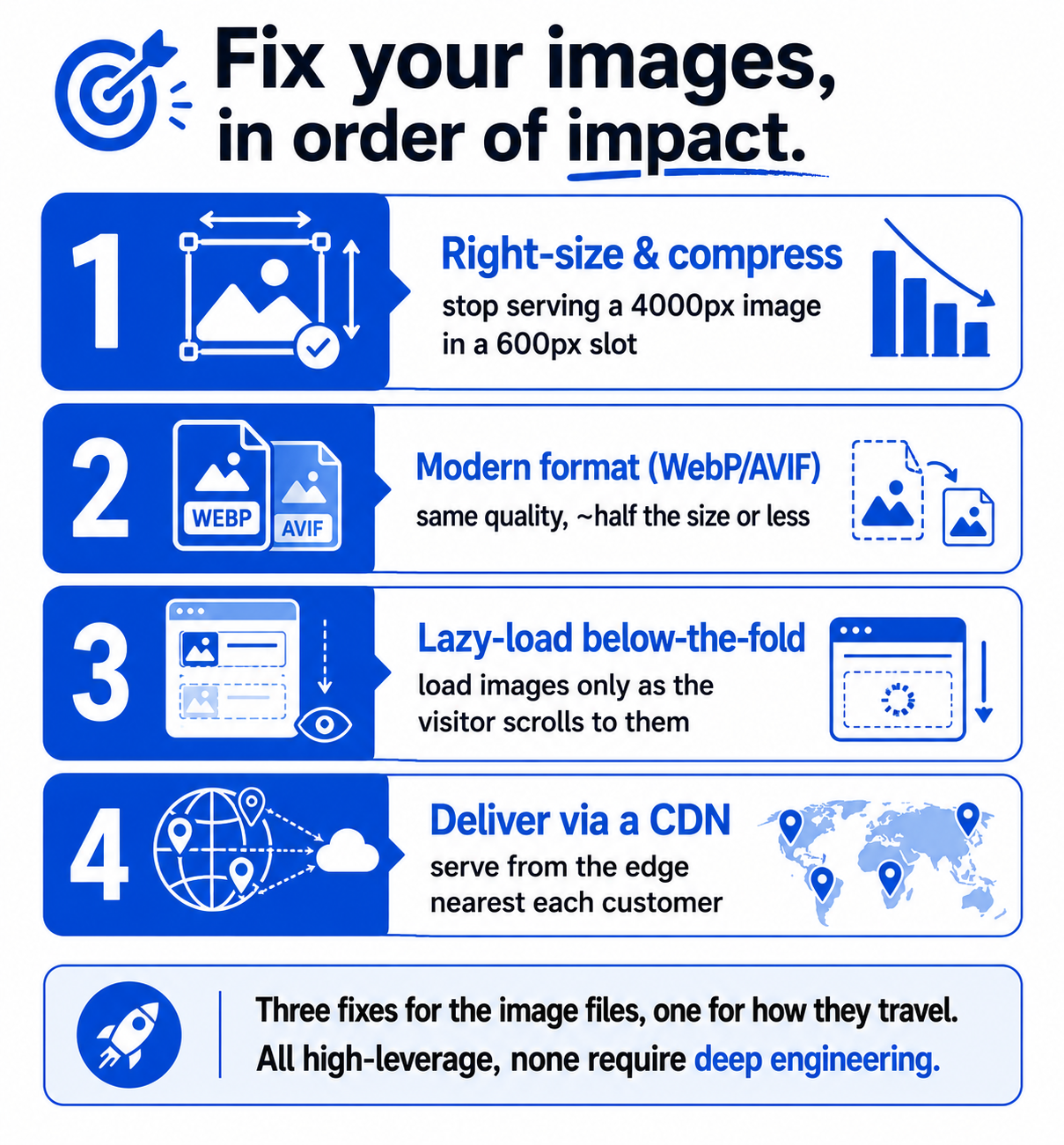
Three habits cause most of it. First, uploading images at far higher resolution than they will ever be displayed, a 4000-pixel-wide photo shown in a 600-pixel slot, so the browser downloads four-thousand-pixels' worth of data to show six hundred. Second, using older, heavier file formats, typically JPEG, when modern formats like WebP and AVIF deliver the same visible quality at a fraction of the size. Switching format alone can cut image weight by roughly half or more with no visible quality loss, which is about the easiest large win available anywhere in web performance. Third, loading every image at once, including the ones far down the page a visitor may never scroll to, instead of loading them only as they are needed.
The reason this is good news is that all three have direct, well-known fixes, and none of them require touching your code or your platform's guts. This is a content-and-delivery problem, not a deep engineering one, which is exactly why it is such high leverage: a big speed gain for comparatively little effort, sitting right where a non-engineer can actually reach it.
The fixes, in order of impact
If you do nothing else, do these three, in this order. They are sequenced by return on effort.
1. Right-size and compress every image. Serve images at roughly the dimensions they are actually displayed, and compress them. This alone removes the bulk of the wasted weight. Most decent image tools and many platforms can do this automatically on upload, so it becomes a one-time setup rather than a per-image chore.
2. Use a modern format (WebP or AVIF). Convert product images to WebP or AVIF, which are built for exactly this and give you the same look at a much smaller size. Keeping an older-format fallback for the rare ancient browser is sensible, but the modern format should be what almost everyone receives. This is the single highest-impact-per-minute change on the list.
3. Lazy-load below-the-fold images. "Lazy loading" means the browser loads an image only when the visitor is about to scroll to it, rather than downloading everything up front. The images at the top of the page (the ones that win or lose the first impression) load immediately; the ones further down wait until they are actually needed. The first screen gets faster, which is the screen that decides whether the visitor stays.
Those three handle the images themselves. But there is a fourth piece that decides how fast even a perfectly optimised image travels to your customer, and it is where your infrastructure comes in.
Where your AWS setup comes in: delivery, not just size
Shrinking the images solves half the problem, how big the files are. The other half is how far they have to travel, and that is a delivery problem, which is exactly what the S3 and CloudFront pairing is for. You can optimise an image perfectly and still serve it slowly if every customer has to pull it from a single server on the other side of the world.
This is where it connects to the infrastructure I have written about across this cluster. Store your optimised images in S3, and put CloudFront in front of them, and each image is both as small as it should be and served from an edge location physically near the customer. Small files, short distances. That is the full speed equation. A content delivery network is built precisely to make assets like images load fast everywhere, which is why "compress your images" and "serve them through a CDN" are the two halves of the same recommendation, and why image performance sits naturally in a conversation about your cloud setup rather than apart from it. If you want the underlying concept, I cover it in CDN, edge, and cache explained.
So, to put the whole thing together: your product images are very likely the biggest thing slowing your store, slow pages measurably cost you conversions and rankings, and the fix is unusually concentrated and reachable. Right-size and compress the images, serve them in a modern format, lazy-load the ones below the fold, and deliver them through a CDN so they are small and close. None of it requires an engineering degree. It requires knowing that the beautiful photo doing the selling is also, unoptimised, the thing doing the slowing, and that fixing it is one of the best returns on effort available to an online store. Speed is a feature your customers feel before they can name it, and it shows up, every month, in the only metric that matters.
A few common questions
Do product images really affect conversion rate? Yes, indirectly but powerfully, through speed. Images are typically more than half of an e-commerce page's total weight and the leading cause of slow loading, and slow pages measurably reduce conversions: every extra second of delay cuts conversions, and a majority of mobile visitors abandon pages that take more than about three seconds. Faster image loading means more completed purchases.
Why are images the biggest cause of slow pages, not code? Because they are large files, and stores routinely upload them far bigger than needed, at higher resolution than they're displayed, in heavy older formats, and all loaded at once. Code and scripts matter, but images usually account for the single largest share of page weight, which is why optimising them gives the biggest speed gain for the least effort.
What's the fastest way to speed up my product images? Three fixes in order: right-size and compress each image to the dimensions it's actually shown at; convert to a modern format (WebP or AVIF) for the same quality at roughly half the size or less; and lazy-load below-the-fold images so they load only as the visitor scrolls. Then deliver everything through a CDN so files are both small and served from nearby.
How does my hosting or CDN affect image speed? Optimising an image reduces its size, but it still has to travel to the customer. If it's served from a single distant server, it loads slowly regardless. A CDN like CloudFront (paired with S3 storage) caches your images at locations worldwide and serves each visitor from the nearest one, so optimised images also arrive quickly everywhere.
You should also read:
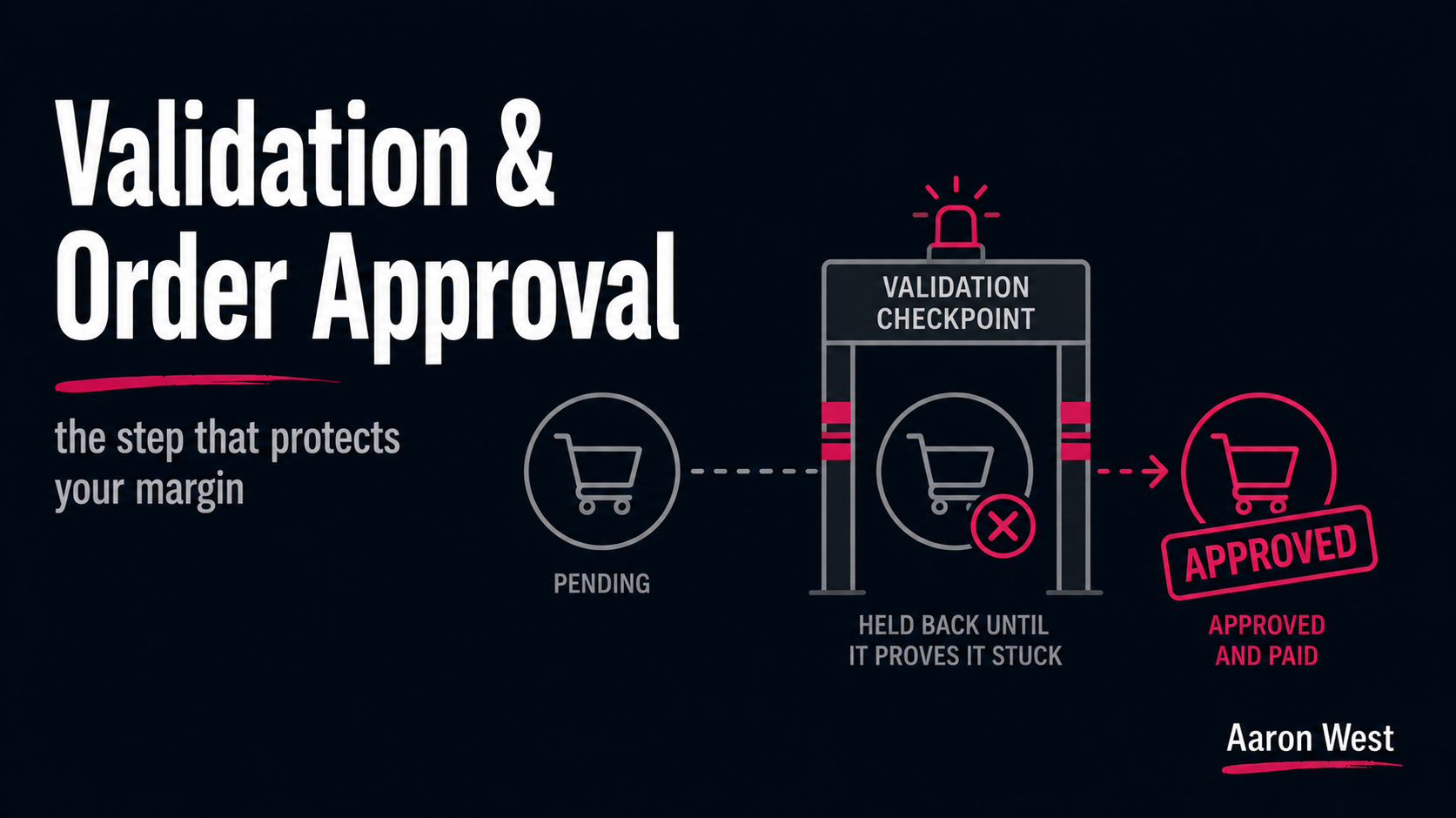
Validation and Order Approval: The Step That Protects Your Margin
Validation is the step where a merchant confirms a tracked affiliate sale is genuine, not returned, cancelled, or fraudulent, before the commission is approved and paid. It is the control that stops you paying for sales that never really stuck, and it works through a…
Continue reading...
How Affiliate Tracking Actually Works: Clicks, Cookies and Conversions
Affiliate tracking is the machinery that connects a click on a partner's link to a purchase that happens later, so the right partner gets paid, and in 2026 it runs on three core methods: the browser cookie (simple but increasingly unreliable), the tracking pixel (fires…
Continue reading...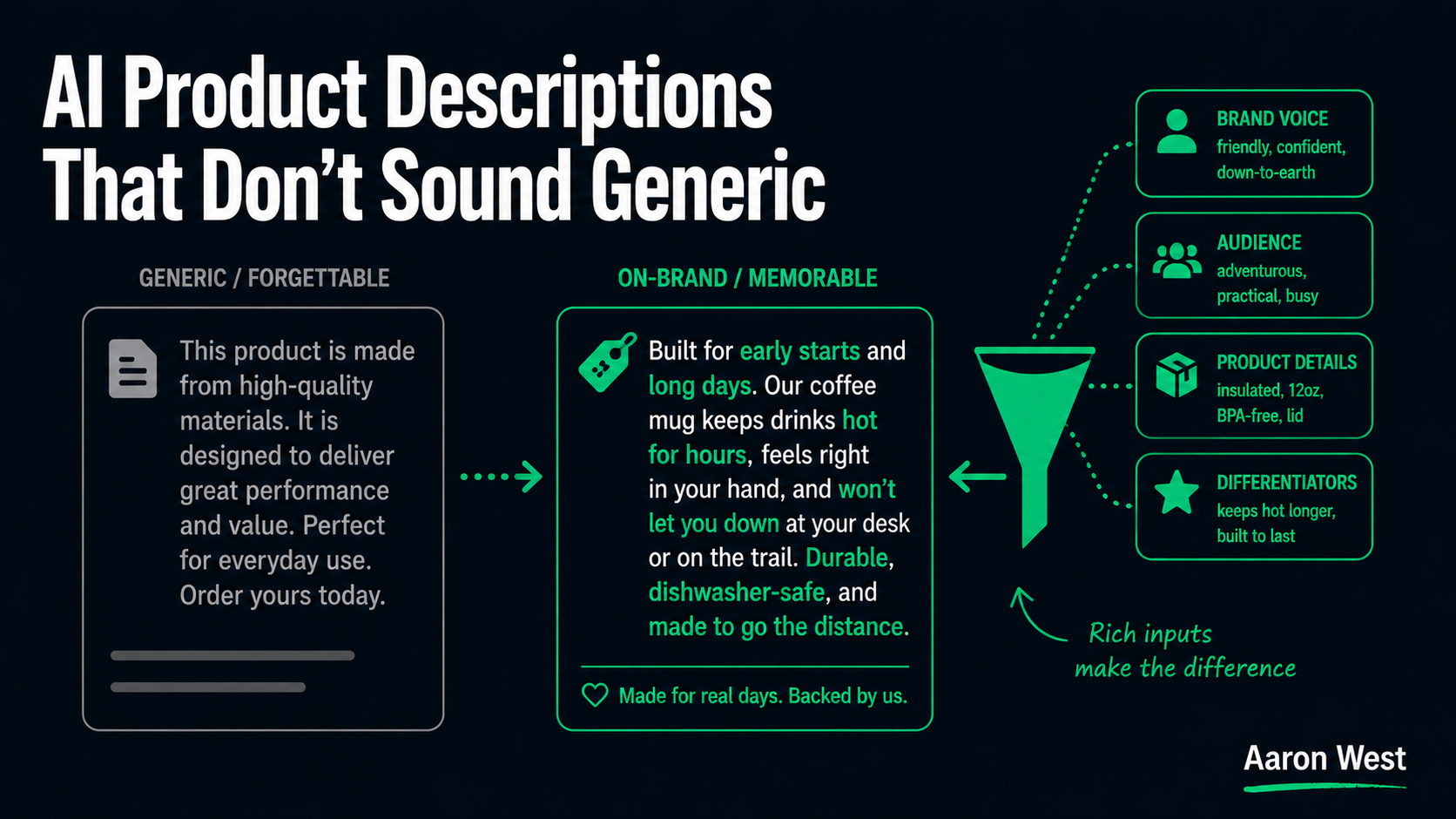
AI for Product Descriptions That Don't Sound Generic
The most common complaint about AI-written product descriptions is that they all sound the same, bland, interchangeable, like they could describe any product from any store. The complaint is fair, and here is the part nobody selling AI tools wants to say plainly: when AI…
Continue reading...