Event-Driven vs Scheduled Automation, Explained

Table of Contents
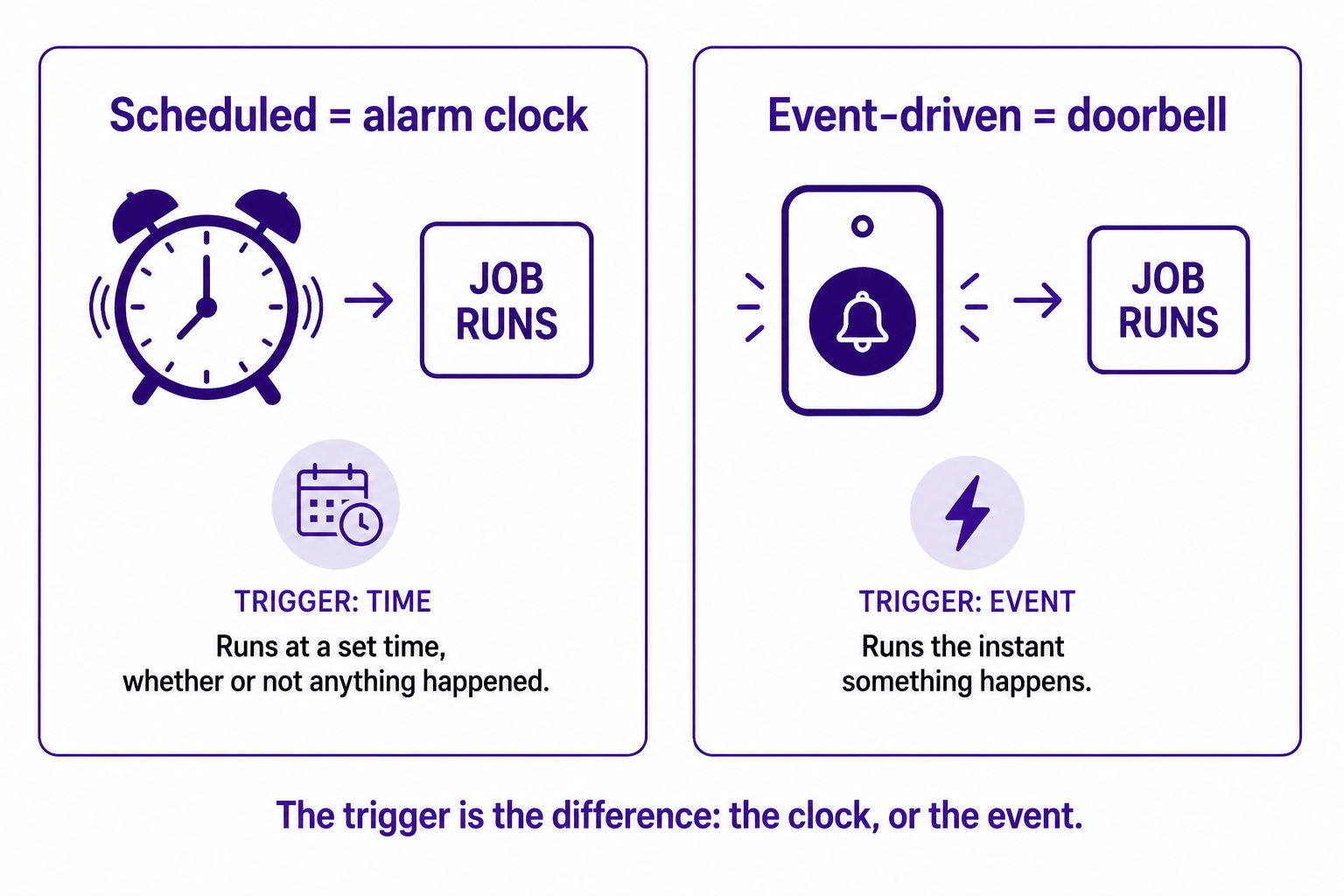
Here is the whole distinction in one sentence: a scheduled automation runs at a fixed time whether or not anything has happened, and an event-driven automation runs the moment something happens, whether or not the clock says it should. Everything else is detail.
That detail matters, though, because choosing the wrong one is one of the most common ways an automation ends up technically working while quietly failing to solve the problem. I want to explain both clearly, in plain terms, and then give you the single question that tells you which one a given task needs. No jargon you have to already know. If you have ever set an alarm for 7am versus had a doorbell that rings when someone arrives, you already understand the core idea.
Scheduled automation: the alarm clock
A scheduled automation runs on a timetable you set. Every morning at 8am, pull yesterday's sales and email the summary. Every Monday, reconcile the week's orders. Every night at 2am, back up the database. The trigger is the clock. It does not matter whether anything changed, the job runs because the appointed time arrived.
This is the older and simpler approach, and simpler is a real advantage. A scheduled job is easy to set up, easy to reason about, and easy to predict. You know exactly when it runs and what it touches. For a whole category of work, that is all you need. Anything where being a few hours out of date costs you nothing is a perfect fit: monthly reports, nightly backups, a weekly partner summary, payroll after the period closes. The data sits and waits, you process it in a batch when the time comes, and nobody is worse off for the wait.
The weakness of the schedule is built into its nature. It is blind to events. It will happily run when there is nothing to do, and, far more dangerously, it will sit idle while something urgent piles up, because the urgent thing happened at 8:05am and the job does not run again until tomorrow.
Event-driven automation: the doorbell
An event-driven automation does not watch the clock. It waits for a specific thing to happen, an event, and fires the instant it does. A customer places an order, so the stock count drops immediately. A payment fails, so a recovery flow starts right away. A support ticket is marked urgent, so it routes to a senior agent at once. The trigger is the event itself, not a time.
The advantage is obvious and it is speed: the distance between something happening and the system responding shrinks to seconds. For anything where freshness matters, this is the only approach that actually works. If a customer buys your last unit, you need the other sales channels to know now, not at midnight. The event-driven model also tends to spread load more evenly, because work happens as it arrives rather than piling into one big overnight batch that has to be processed all at once.
The cost is complexity. An event-driven setup needs something that listens for the event and reliably passes it on, usually a webhook or an API connection, and that is more moving parts than a simple timed job. It is more to build and more to monitor. So event-driven is more capable, but it asks more of you in return.
The one question that decides it
You do not choose between these based on which sounds more modern. There is a lot of writing right now insisting that event-driven is the future and scheduled automation is obsolete. That is hype, and it is wrong. The honest framing, which keeps showing up across serious 2026 practitioner writing, is simpler: real-time where it matters, batch where it counts.
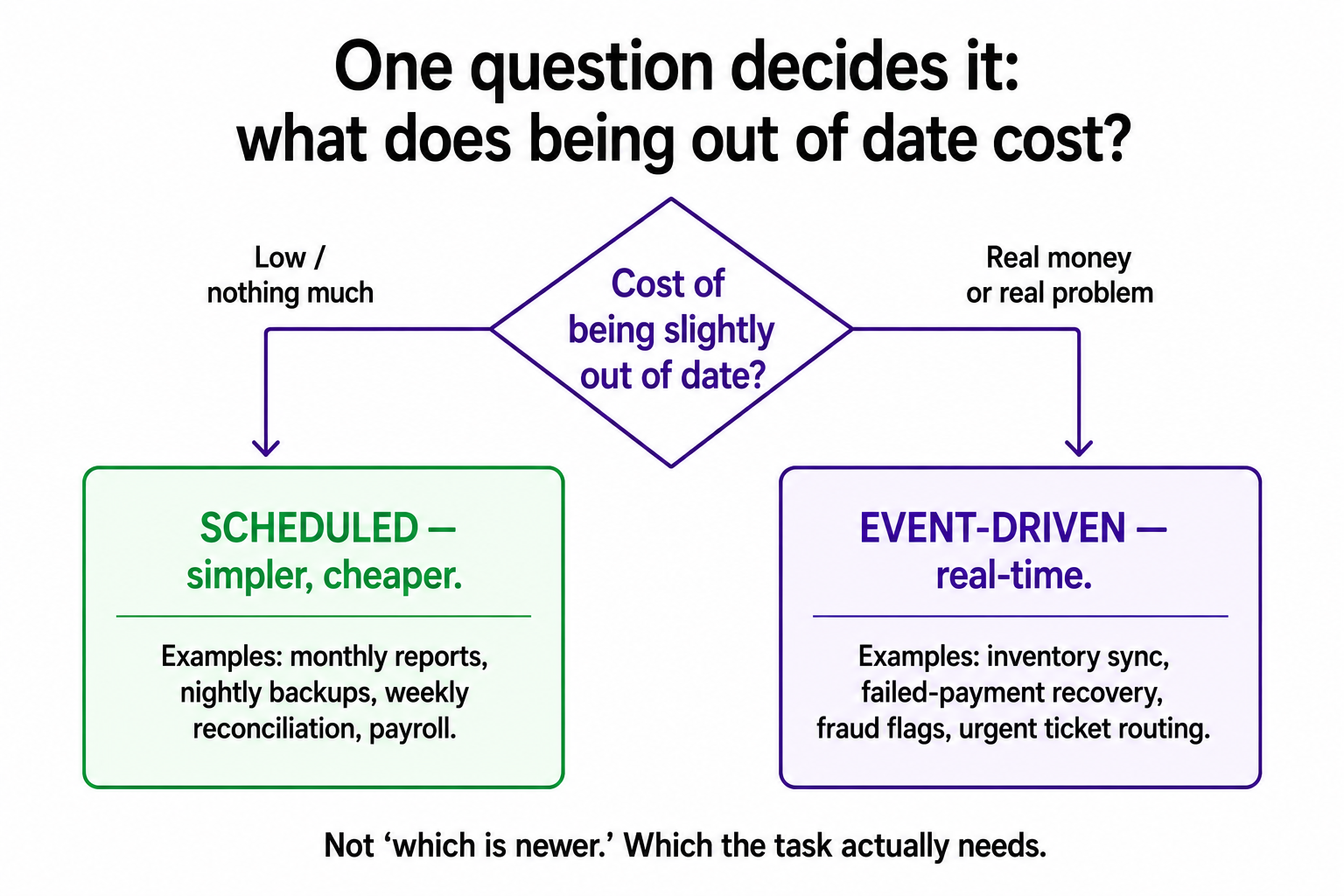
So here is the question I ask for any given task: what does it cost to be slightly out of date?
If the answer is "nothing much," use a schedule. A monthly report does not need to know about a sale that happened ninety seconds ago. A nightly backup is fine being nightly. Reaching for real-time here just adds complexity you will have to maintain forever, in exchange for freshness nobody needed.
If the answer is "real money or a real problem," go event-driven. Overselling your last unit because the stock count waited for the nightly sync is a real cost. A failed payment that sits unnoticed until tomorrow's batch is a real cost. A fraud signal that waits in a queue is a real cost. When being out of date hurts, the event has to fire the response in real time.
That single question, what does the delay cost, sorts almost every task cleanly. It is a better guide than any rule about which approach is newer.
Why getting it wrong is so easy to miss
The reason this choice deserves its own explanation is that picking the wrong architecture does not produce an obvious error. The automation still runs. It still appears to work. It just works at the wrong moment, and that is a failure you often cannot see until it has already cost you something.
Picture an inventory sync built on a nightly schedule. It runs every night without complaint. The logs are clean. Then one afternoon you sell the last unit of a popular product, and because the sync will not run again until 2am, your other channels keep showing it as available and you sell it twice. The automation did not break. It did exactly what it was built to do. It was simply built on the wrong trigger, and the failure only showed up when a customer got a cancellation instead of a product. This is the same family of problem as a silent failure, where the system looks healthy while quietly doing the wrong thing. I made the fuller case for catching those in the error notification is the workflow.
It also runs the other way. Building a complex event-driven pipeline for a task that a simple nightly job would have handled is its own mistake, just a quieter one. You now own extra moving parts, extra things to monitor, and extra ways to break, all to deliver real-time freshness on something where nobody would have noticed a delay. Complexity you do not need is a cost too.
The discipline, as with most of how I think about automation, is to match the tool to the actual need rather than the fashion. Ask what the delay costs. Let the answer choose. Most of the time the cleanest system is a mix: event-driven for the few things where timing genuinely matters, like the inventory sync in the five workflows I'd build first, and simple scheduled jobs for everything else.
A few common questions
What is the difference between event-driven and scheduled automation? A scheduled automation runs at fixed times (like every night at 2am), regardless of whether anything changed. An event-driven automation runs the instant a specific event happens (like an order being placed). The trigger is a clock versus an event.
Which is better, event-driven or scheduled? Neither is universally better. The honest rule is "real-time where it matters, batch where it counts." Use event-driven when being out of date costs you something real; use scheduled when a delay of hours is harmless and you want the simpler setup.
When should I use scheduled automation? When timeliness is measured in hours or days and a delay costs nothing: monthly reports, nightly backups, weekly reconciliations, payroll runs. It is simpler to build and easier to predict.
When should I use event-driven automation? When freshness matters and delay is expensive: inventory sync across channels, failed-payment recovery, fraud detection, urgent support routing. It needs a webhook or API to listen for the event, so it is more complex, but it is the only approach that responds in real time.
You should also read:
The Tracking Pixel, Explained
A tracking pixel is a tiny, invisible image, usually a single transparent dot one pixel wide, hidden in the code of a web page, email, or ad, and its only job is to quietly report back when something happens. When the page loads, the pixel…
Continue reading...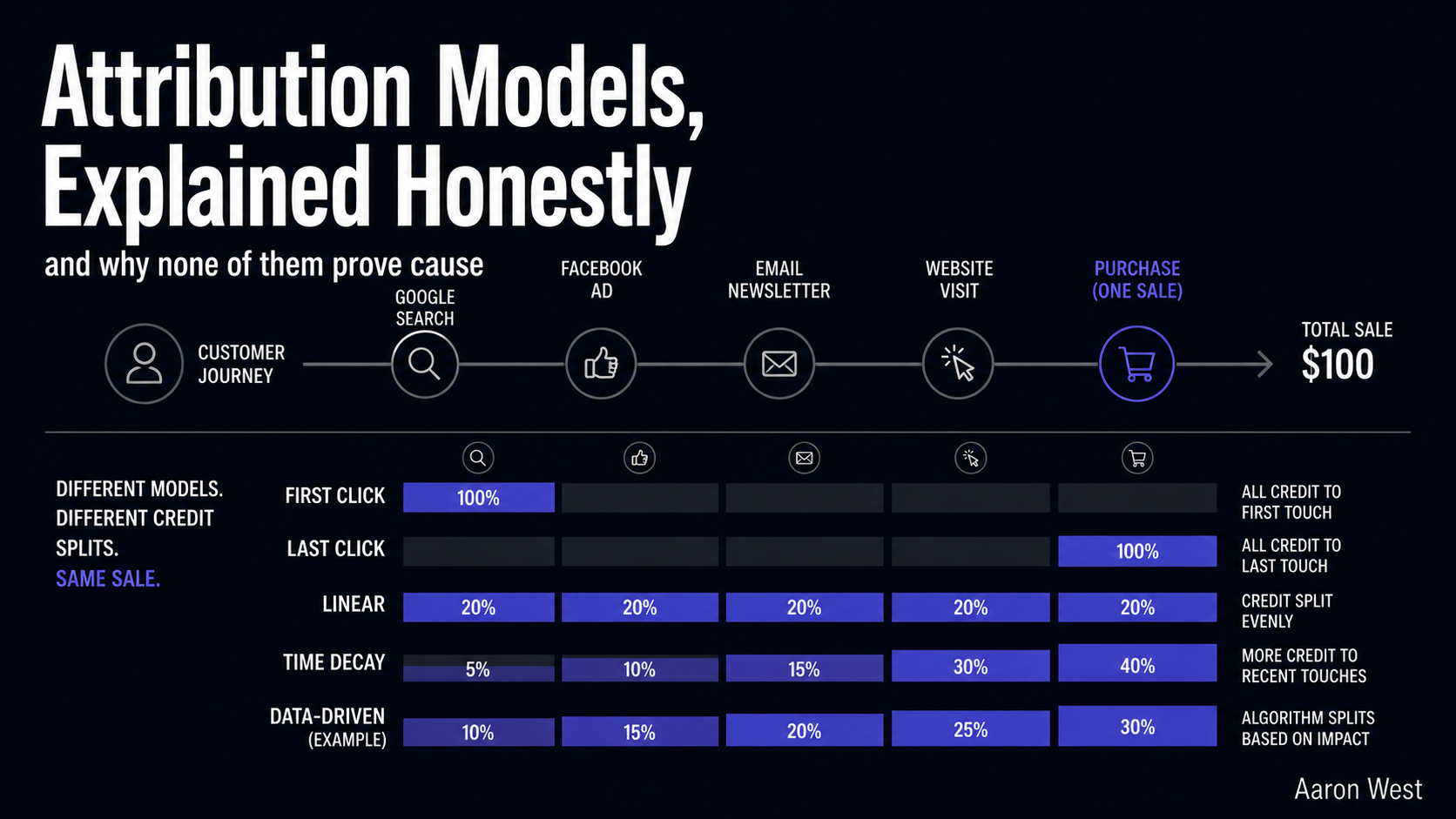
Attribution Models, Explained Honestly: Last-Click, First, Linear, Data-Driven
An attribution model is simply a rule for deciding which marketing touchpoint gets credit for a sale, and the uncomfortable truth is that every one of them is, to some degree, a guess. A customer might see your Instagram ad, read a review, click a…
Continue reading...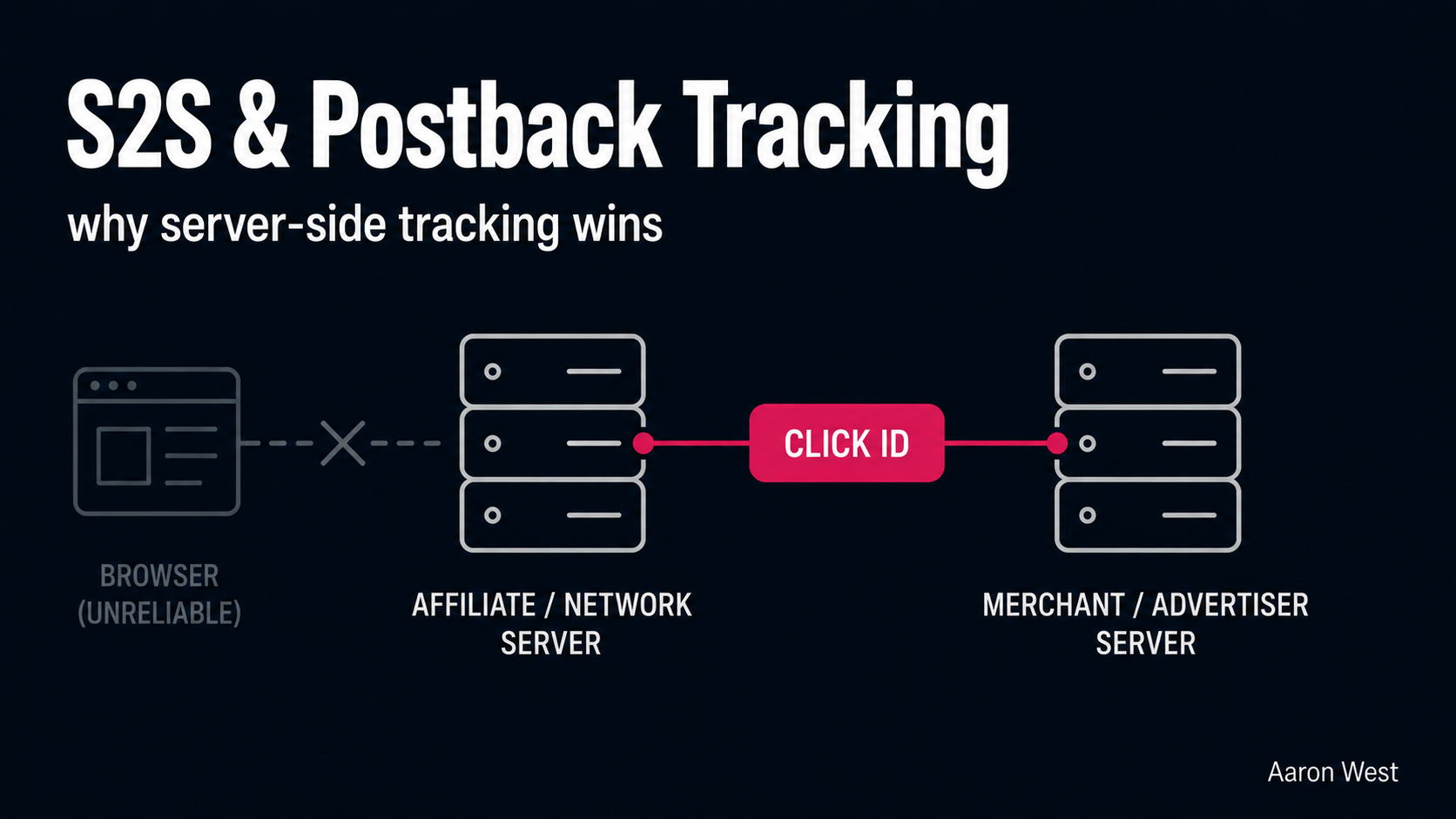
Server-to-Server (S2S) and Postback Tracking, Explained
Server-to-server (S2S) tracking, also called postback tracking, records an affiliate conversion by having the merchant's server send the sale data directly to the affiliate platform's server, with no cookie and no browser involved. That one architectural change, moving the conversion record off the shopper's browser…
Continue reading...