How to Run an Automation Audit on Your Own Team in Two Weeks

Table of Contents
Before you automate anything, you need to know what your team actually does all day. Not what the org chart says they do, not what they would say if you asked them in a meeting, but the real, fifteen-minute-by-fifteen-minute truth of where the hours go. An automation audit is how you get that truth, and you can run a useful one in two weeks with no special tools.
I will walk through the exact method. But first, the trap to avoid, because almost everyone falls into it: the temptation is to skip straight to scoring. To sit in a room, list the processes you can already see, and start ranking them for automation. Do that and you will automate the cleanest-looking process instead of the highest-value one, because the expensive work is usually the work nobody mentions in the meeting. The audit exists to surface what you cannot see. Skip it and you are just automating your assumptions.
Why the audit comes before the tools
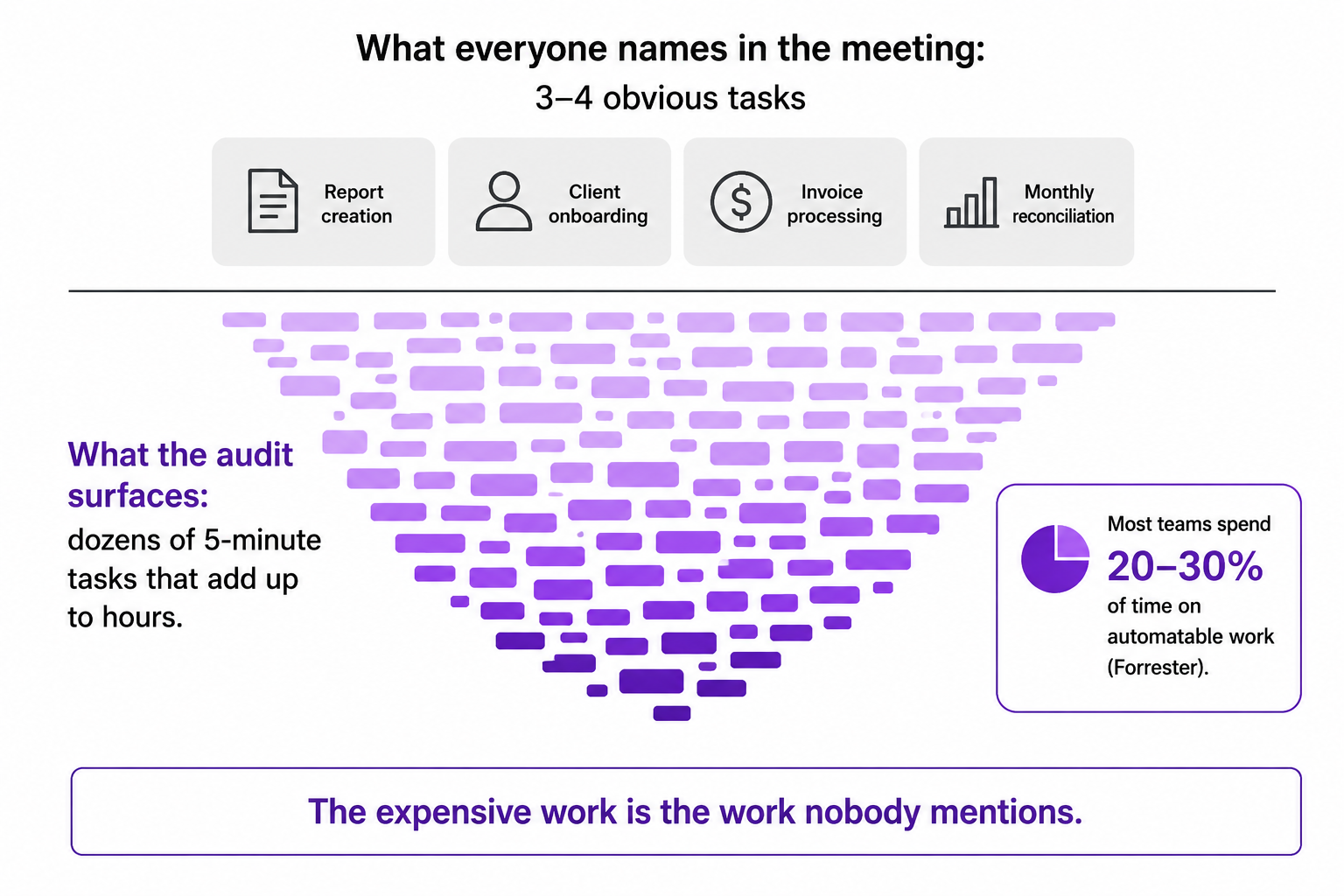
There is a number worth keeping in mind as motivation. Forrester has estimated that most employees spend twenty to thirty percent of their time on tasks that could be automated. That is one full day a week, give or take, disappearing into work a machine could do. But here is the catch: almost none of that time shows up as one big obvious task. It hides in five-minute jobs done forty times a week.
One real example from the source material stuck with me. A five-person team ran this exercise and surfaced twenty-three distinct manual processes. The biggest surprise was not the large tasks everyone already knew about. It was how many tiny, trivial-feeling, five-minute tasks added up to hours every single day. That is the entire reason the audit has to be measured rather than guessed. Each instance feels too small to mention, so nobody mentions it, so it never gets counted, so it never gets fixed. Measurement is what makes the invisible visible.
This is also the difference between automating well and automating badly, which I covered in how I think about automation. The audit is how you find the transfer tasks worth automating instead of the busy-looking ones that just feel automatable.
Week one: track, don't judge
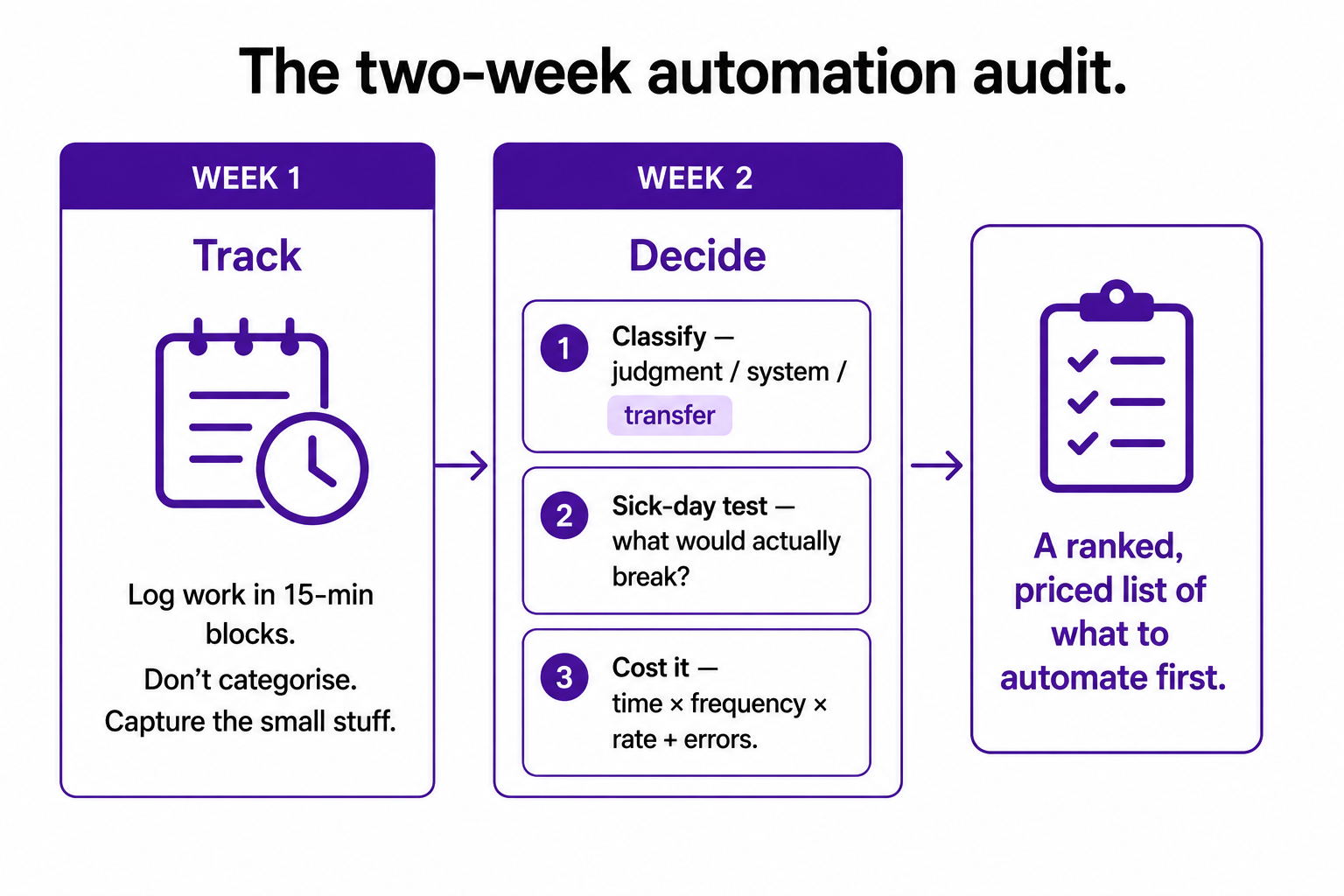
The first week has exactly one job: capture what actually happens. Everyone on the team logs their work in fifteen-minute blocks, all week. Not a description written from memory at 5pm, but a running log kept through the day. A spreadsheet with timestamps works fine. So does a free tool like Toggl or Clockify. The tool does not matter. The honesty does.
Two rules make week one work. First, log, do not categorise. People should not be deciding "is this automatable?" as they go, because that judgment slows them down and biases the log. Just record what you did and how long it took. Classification comes later. Second, capture the small stuff, explicitly. Copying data between a spreadsheet and the CRM. Reformatting a client's name. Sending the same confirmation email for the fortieth time. These feel too trivial to log, which is exactly why they have to be logged. They are usually where the hidden cost lives.
If you want to enrich the log, there is one interview question that works better than any other. Do not ask people "what do you do?" Ask them "walk me through last Tuesday, hour by hour." The general question gets you the job description. The specific one surfaces the invisible tasks, because the person has to actually reconstruct the day rather than recite the role.
Week two: classify, test, and cost
With a week of honest logs, the second week turns data into decisions. Three steps.
Classify every logged task into one of three kinds. Judgment tasks, where a person's expertise, relationships, or creativity is genuinely required. System tasks, where someone operates a tool to produce something. And transfer tasks, where someone simply moves information from one place to another with no real judgment involved. Most of your automation value sits in that third pile. Sort the whole week's log into these three, and the shape of the problem appears on its own.
Apply the sick-day test to each transfer task. Ask: if the person who does this were off sick tomorrow, what would actually break? If the honest answer is "nothing, it would just be a little late," you may have found a task to eliminate rather than automate. If the answer is "something real," you have found something worth protecting properly with automation. This question quietly separates the work that matters from the work that merely persists.
Cost the candidates. For each transfer task worth automating, the arithmetic is simple: time per occurrence, times how often it happens, times the loaded hourly cost. A task that eats two hours a week is over a hundred hours a year. Put a real number on it. Then add a rough figure for the errors it produces, because manual data handling carries an error cost on top of the time cost. Now each candidate has a price tag, and the conversation stops being about opinion and starts being about money. I went deeper on this calculation in the hidden cost of manual operations.
How to rank what you found
The costing gives you numbers, but raw cost is not quite the right ranking. The best first automations score high on three things at once: how often the task happens, how much time or rework it costs, and how much damage it does when it goes wrong. High frequency, high cost, high downside. A task that runs daily, eats real time, and causes an angry customer when it fails beats a task that is expensive once a quarter.
There is one more filter worth applying before you commit, and it is the discipline that separates a good audit from a naive one. For each top candidate, ask whether the process itself is sound, or whether you would just be making a bad process run faster. If a workflow is full of steps nobody remembers the reason for, fix the process first, then automate the clean version. Automation cannot repair a broken process. It only makes the breakage happen at speed.
What you should not do is rank by what is easiest to build. That is the same trap as skipping the audit, wearing a different hat. The easiest thing to automate and the most valuable thing to automate are rarely the same task, and the whole point of measuring was to tell them apart.
What you will probably find
When teams actually run this honestly, the results rhyme. Somewhere between fifteen and thirty percent of logged time turns out to be transfer work. A handful of recurring workflows, often five to eight, account for most of it. And the specific culprits are predictable: moving order or customer data between systems that do not talk, reformatting and sending recurring reports, re-entering the same figures by hand, routing things that arrive in a predictable shape.
The most common reaction at the end of week two is not "we should automate this." It is "why have we been paying people to do this by hand for so long?" That shift, from a vague sense that there is waste to a ranked and priced list of exactly where it is, is the entire value of the audit. You now know what to build first, and you can prove why.
One last thing, and it matters. When you do start building from this list, build the monitoring in from the start, not later. An automation that silently breaks hands back all the time it saved and then some. I made that case in full in the error notification is the workflow. The audit tells you what to automate. Building it to fail loudly is what keeps it worth having.
Two weeks. A spreadsheet. Honest logs. That is the whole method, and it will tell you more about where your operation actually leaks time than any tool demo ever will.
A few common questions
How long does an automation audit take? Two weeks is enough for a useful one. One week to track work honestly in fifteen-minute blocks, one week to classify, test, and cost the candidates. Larger organisations use task-mining software, but a small team can do this with a spreadsheet.
What should I track during the audit? Everything, in fifteen-minute blocks, including the tasks that feel too small to mention. The five-minute jobs done dozens of times a week are usually where the hidden cost concentrates. Log first, judge later.
How do I know which tasks to automate first? Rank by frequency, time or rework cost, and downside when it fails, all at once. High-frequency, high-cost, high-downside transfer tasks come first. Don't rank by what's easiest to build, and don't automate a broken process, fix it first.
What's the one question that surfaces hidden work? Don't ask "what do you do?" Ask "walk me through last Tuesday, hour by hour." The specific question forces people to reconstruct the real day and surfaces the invisible tasks a job description hides.
You should also read:
Serverless Explained for a Marketing Team (What "Lambda" Actually Means)
"Serverless" is one of the most misleading words in technology, because it does not mean there are no servers. It means you do not have to think about them. With serverless computing, you hand a small piece of code to a cloud provider, it runs…
Continue reading...
Why Your Product Images Are Slowing Down Your Conversion Rate
The single biggest thing slowing down your online store is almost certainly the very thing you put there to sell the product: the images. On a typical e-commerce page, images make up more than half of everything the browser has to download, and unoptimised product…
Continue reading...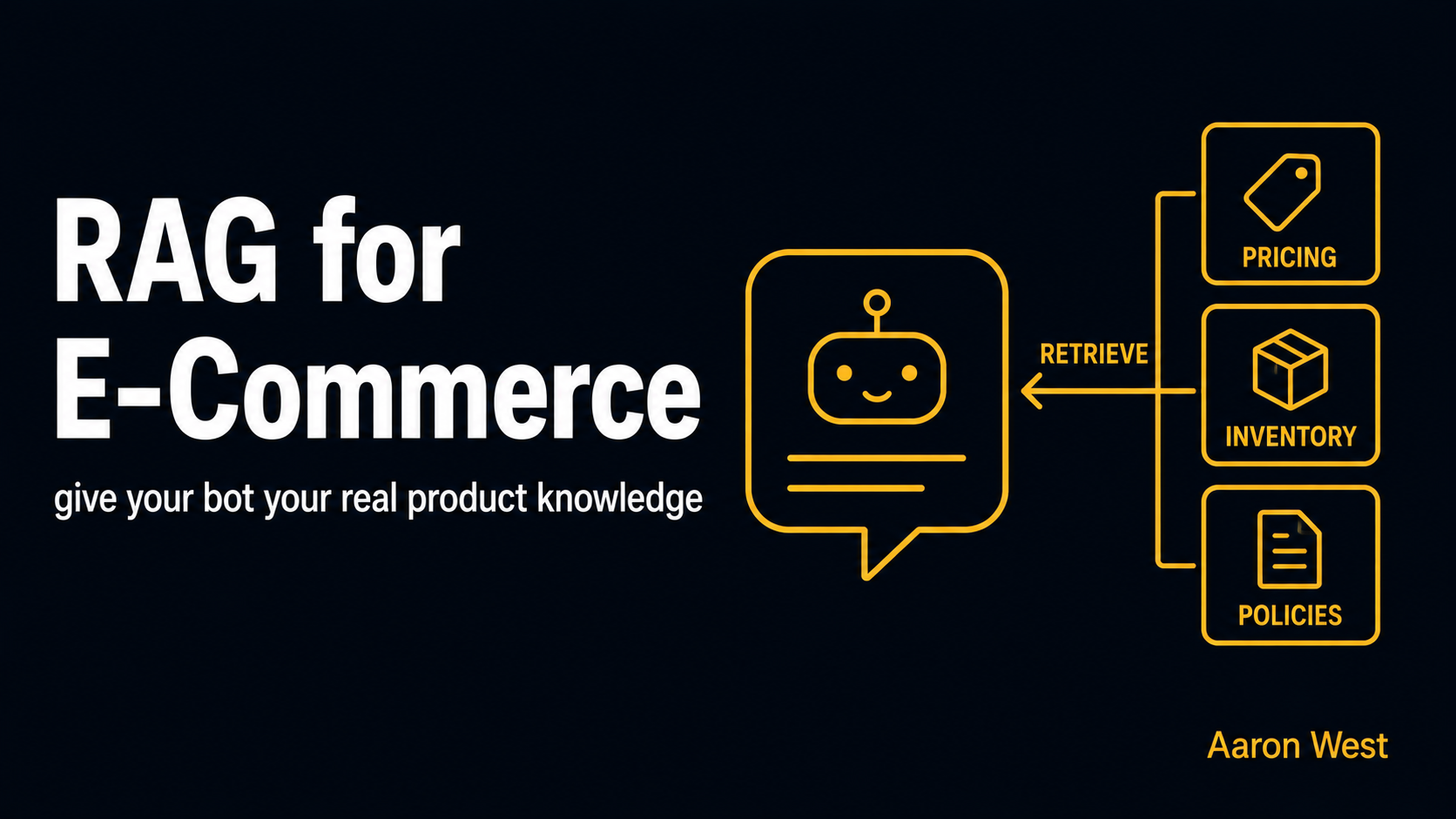
RAG Explained for E-Commerce: Giving a Bot Your Product Knowledge Without Retraining It
If you want an AI assistant that actually knows your store, your real products, your current prices, your live stock, your specific return policy, the technique you need is RAG, retrieval-augmented generation. It connects the AI to your live business data so it answers from…
Continue reading...